
You love the look: the warm walnut desk, the tapered legs, that unmistakable 1960s silhouette. But here’s the trap almost everyone falls into with a mid century modern home office — they buy the rigid little wooden bucket chair to match, and within a month their lower back is filing a formal complaint. Sacrificing spinal health for an authentic retro aesthetic is the biggest mistake you can make, and the good news is you absolutely don’t have to choose between the two.
A truly great retro workspace looks like 1962 but feels like it was designed by an ergonomist. The secret is knowing exactly where to stay faithful to the era and where to quietly cheat with modern comfort.
Why Your Back Hates That Vintage Chair
Original mid century desk chairs were designed for an era of shorter workdays, typewriters, and a lot more getting up to file things. They typically have:
- No lumbar support — just a flat or slightly curved wooden or vinyl shell
- Fixed seat height — which almost never matches your desk
- Zero armrest adjustability — your shoulders creep up toward your ears by 3 p.m.
- Hard seat pans — fine for a 20-minute phone call in 1965, brutal for an 8-hour workday today
The result is the classic slouch: pelvis tucked, shoulders rounded, neck craned forward. No aesthetic is worth that kind of daily damage.
The Comfort-First Retro Office Formula
Here’s the approach designers actually use: keep the vintage soul in the big visual pieces (desk, lighting, art, rug) and go fully modern where your body touches the workspace (chair, monitor support, keyboard position).
1. The Chair: Ergonomic, But Make It Retro
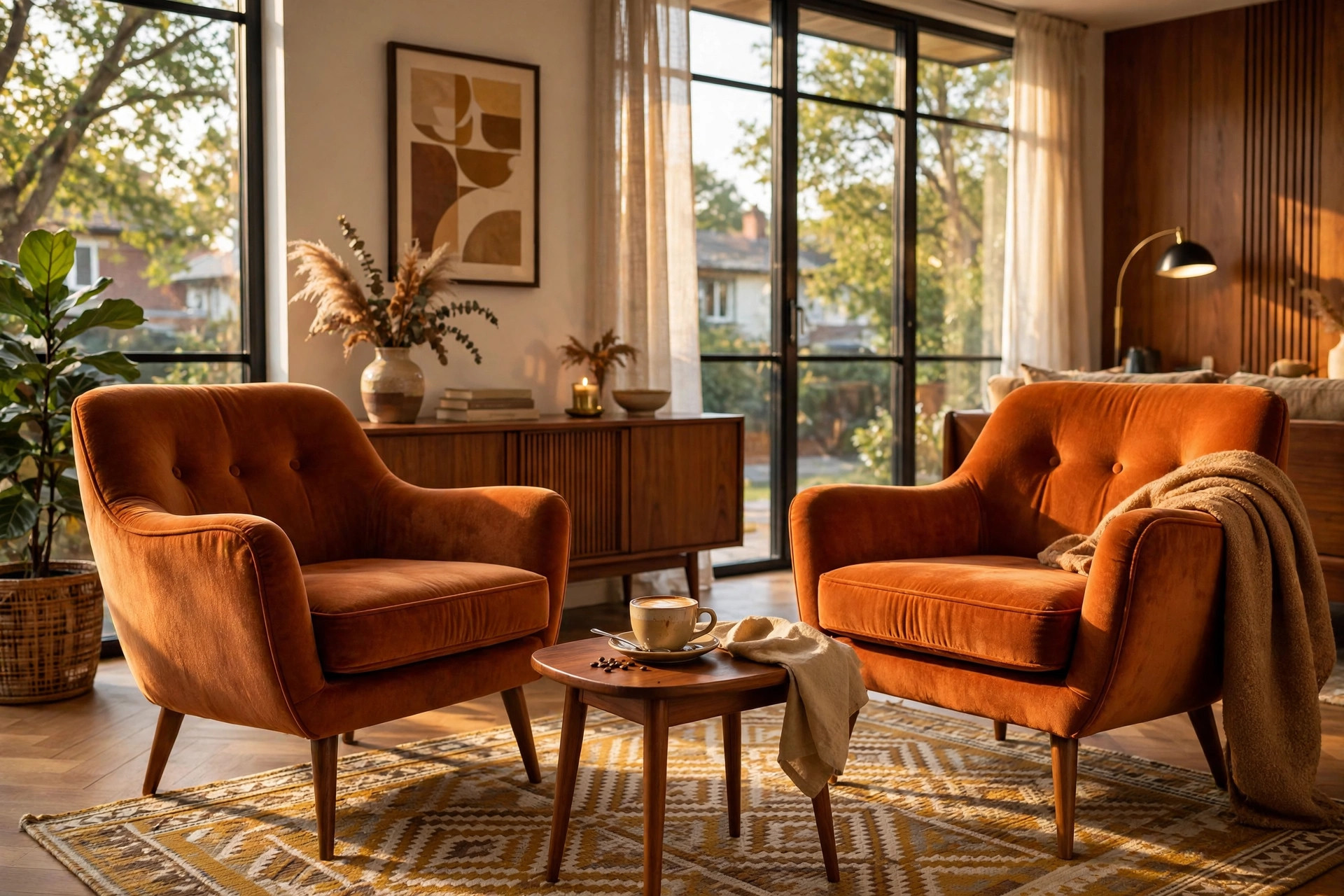
Pair your vintage walnut desk with a highly adjustable ergonomic chair upholstered in a dark green or burnt orange fabric. Those two colors are period-perfect — they were all over 1960s textiles — so the chair reads as intentional, not as an office-supply-store intruder.
What to look for when you shop:
- Adjustable lumbar support — ideally depth and height adjustable, so it meets the curve of your lower back
- Seat depth adjustment — you want two to three fingers of space between the seat edge and the back of your knees
- 4D armrests — adjustable up/down, forward/back, side to side, and pivoting, so your forearms rest parallel to the floor
- Synchro-tilt mechanism — the backrest and seat move in a ratio that keeps your feet planted while you recline slightly
- Breathable but tailored fabric — a tight-weave wool blend in olive, rust, or forest green looks far more retro than black mesh
Budget tip: solid ergonomic chairs with all of the above start around $300–$450. Reupholstering a good used ergonomic frame in a retro fabric is another clever route — often under $200 total secondhand.
2. The Desk: Get the Height Right
Your desk should sit at exactly 29 inches high — the sweet spot for most adults between 5’4″ and 6’0″ when paired with a properly adjusted chair. Vintage desks are often a touch lower (28 inches was common), so measure before you commit. If your dream teak desk is too low, discreet 1-inch risers under the legs solve it invisibly.
Also check knee clearance: you need at least 25 inches of width under the desktop so your legs aren’t wedged — those slim mid century aprons can be deceptively shallow.
3. The Monitor: Float It on an Arm
Mount your monitor on a matte black VESA arm about 20 inches from your eyes, top of the screen at or just below eye level. The matte black finish disappears against the retro backdrop, and freeing the monitor off the desk instantly makes a small vintage desk feel twice as big.
Taming Cables on Spindly Legs
Cable management is notoriously difficult with mid century furniture because there are no thick modesty panels or chunky legs to hide power strips behind. But a rat’s nest of cords will ruin the whole illusion, so this step matters.
- Route braided cords down the back of the desk legs using thin velcro ties, matching the tie color closely to the dark wood tone so they vanish
- Mount a slim power strip under the desktop toward the back with adhesive brackets — never on the floor where it shows
- Use a single cable spine (a flexible fabric tube) from the desk down to the floor outlet for the one visible drop
- Go wireless where you can — a Bluetooth keyboard and mouse eliminate two of the worst offenders entirely
Walls, Paint & Light: The Retro Atmosphere
For the walls behind your monitor, stick to an eggshell paint finish in a muddy mustard or warm olive. The eggshell sheen is key — flat paint looks dead, satin creates hot spots, but eggshell gives you that soft vintage glow while reducing monitor glare as you type. Both colors are straight out of the 1960s palette and photograph beautifully.
Lighting makes or breaks the mood. An arched brass desk lamp with a 4000K bulb gives crisp, neutral task lighting — bright enough to focus without the sterile cast of daylight bulbs. Position it opposite your writing hand to kill shadows.
Protect Your Floors From Those Iconic Legs
Sharp, tapered wooden desk legs will instantly scratch standard hardwood — and they’ll do it the very first time you shift the desk. Always place a low-pile geometric wool rug underneath the entire workspace. Low pile matters: your chair needs to roll smoothly, and thick shag will fight you all day. Size it so the chair stays on the rug even when pushed back — typically 5′ x 7′ for a single desk setup. A flatweave with a subtle atomic or diamond pattern keeps the retro story going underfoot.
Build it this way and you get the office that looks like a Don Draper daydream but treats your body like the 21st century. That’s not cheating the aesthetic — that’s just good design.
Want a mid-century modern office?